Wiki
DebugMode
Ab Version 3.6.5 bietet MediLog eine Debug-Funktion, mit der detaillierte Statusmeldungen angezeigt werden können. Diese helfen bei der Fehlersuche, insbesondere in Fällen, in denen kein Crashlog verfügbar ist.
Der DebugMode kann aktiviert (und deaktiviert) werden, indem im „Über MediLog“-Dialog fünfmal auf das MediLog-Logo geklickt wird:
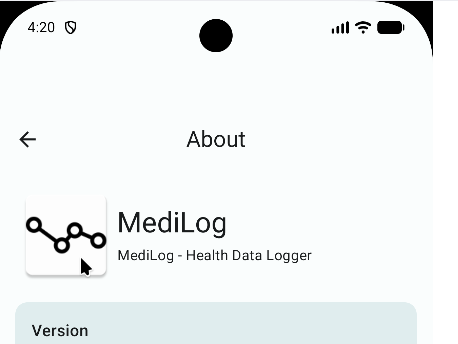
Danach erscheint ein kleines „Log“-Overlay-Fenster innerhalb der App:
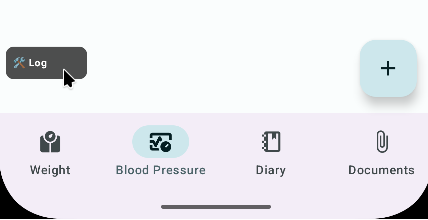
Durch Klicken auf das Log-Overlay kann es vergrößert oder frei verschoben werden:
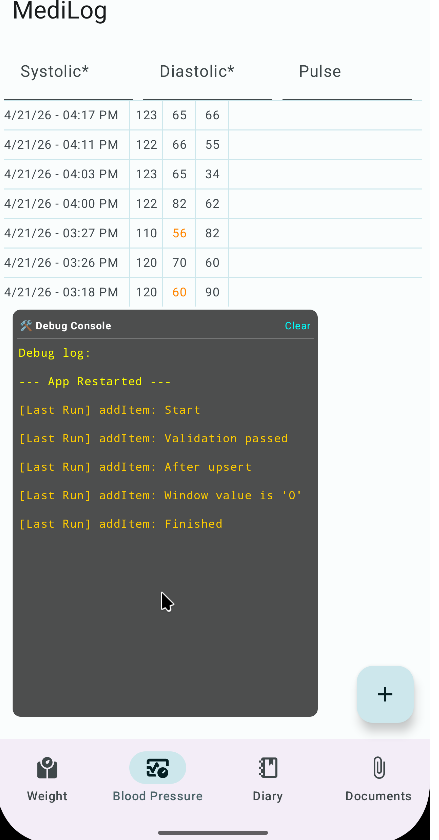
Alle Logmeldungen werden im Overlay angezeigt und zusätzlich in einer lokalen Textdatei innerhalb von MediLog gespeichert. Diese bleiben auch beim nächsten Start erhalten, um potenzielle schwerwiegende Abstürze nachvollziehen zu können.
Die Logdatei wird gelöscht, sobald der DebugMode wieder deaktiviert wird.
